Announcement of New Batch
Real Time Rendering 2026 (RTR 2026 / RTR 7.0)
[Multi-platform OpenGL & Windows DirectX11]
====== READ THE FOLLOWING RED-HIGHLIGHTED MESSAGES FIRST BEFORE GOING AHEAD ======
[Decision of joining or not joining this course can be a “lifetime important decision”. So, please don’t skim through the following notice even though it looks lengthy. If you STILL feel like skimming through it or feel bored by looking at its length – then take it granted that you are NOT eligible to join this course. So, please don’t read further.]
PLEASE read ONLY when you have enough time to read and PLEASE use a bigger screen than a mobile phone.
============================================================================================================================ Hello All, We, the AstroMediComp team, are proudly announcing the next batch of Real Time Rendering, which henceforth, will be called as RTR 2026 or RTR 7.0. Looking at the success and statistics of prior 6 batches (you will find their statistics below), we are going to continue the same idea of online live-coding for this batch too.
About The Course or “Course Contents” : This course covers “Graphics & Animation Programming” using OpenGL on 6 platforms and DirectX11 on one platform. These platforms are – Windows, Linux, Android, macOS, iOS and Web for OpenGL and Windows for DirectX11. Simply speaking, after completion of this course, students will confidently code in :
- Windows Programming
- Linux Programming
- Android Programming
- macOS Programming
- iOS Programming
- Web Programming
(Remember, from above list on “Android” and “iOS” we are going to program in Embedded Systems Applications using OpenGL-ES and same can be done on supporting Embedded Boards like NVIDIA Jetson Nano, NVIDIA Tegra, RaspberryPi and other boards which have GPU on them)
When the sessions are online, there will be live-coding without any source code printouts/source code downloads/notes. And you will code and understand every line of a program of about 1000 lines of code (these are just average number of lines of ONE program) and you will do more code in assignments. This will be possible ONLY because of consistency, which can only be achieved by doing more than 500 assignments on each of the above mentioned platforms. But wait:
- For those who don’t have any computer background, who don’t even know what programming is, who never wrote a single line of code due to testing background – be assured that after completing this course and all above assignments, you will start loving and earning in programming! Just maintain the patience, passion and consistency.
- For those who are feeling panicked by the above number of assignments – be assured that after understanding every line of code, you will enjoy coding and will happily complete all assignments.
- For those who are experienced and so are overlooking / ignoring the above number due to “OC” (Overconfidence) – be assured that you may be the one who is left without a chair when the music stops. This has happened in all of the previous 6 batches.
So, don’t take this number lightly, we mean it. In short, consider above mentioned bullet-points as our “Course Content”.
Course Duration : 1.5 years (or 18 months).
Course Fees :
We will be using a Payment Gateway.
For students residing in India :
₹90,000 + 18% GST = ₹1,06,200 + Nominal Payment Gateway Overhead Charges
(There are installments, and they will be conveyed during the First Introductory Lecture.)
For students residing out of India :
₹1,80,000 + 18% GST = ₹2,12,400 + Nominal Payment Gateway Overhead Charges
(No installments/part payment allowed.)
[REMEMBER : Fees are decided ONLY by students, NOT by us and so are non-refundable in any case].
If you feel that the fees are on higher side OR if there is a discrimination between students residing in India and out of India, please don’t ask us – ask the students who decided this. Social Media is at your fingertips.
About The Previous RTR Batches : ==================================================
1st Batch : RTR 2017 or RTR 1.0
Batch Starting Date : 1st April, 2017
Batch Ending Date : 30th September, 2018
Total Number of Students : 97
- Working : 79
- Academic : 18
==================================================
2nd Batch : RTR 2018 or RTR 2.0
Batch Starting Date : 13th October, 2018
Batch Ending Date : 31st March, 2020
Total Number of Students : 118
- Working : 81
- Academic : 37
==================================================
3rd Batch : RTR 2020 or RTR 3.0
Batch Starting Date : 12th April, 2020
Batch Ending Date : 30th September, 2021
Total Number of Students : 132
- Working : 101
- Academic : 31
==================================================
4th Batch : RTR 2021 or RTR 4.0
Batch Starting Date : 16th October, 2021
Batch Ending Date : 31st March, 2023
Total Number of Students : 181
- Working : 120
- Academic : 61
==================================================
5th Batch : RTR 2023 or RTR 5.0
Batch Starting Date : 15th April, 2023
Batch Ending Date : 21st September, 2024
Total Number of Students : 237
- Working : 194
- Academic : 43
==================================================
6th Batch : RTR 2024 or RTR 6.0
Batch Starting Date : 12th October, 2024
Batch Ending Date : 21st March, 2026
Total Number of Students : 217
- Working : 161
- Academic : 56
==================================================
Looking at above data, you will realize that in spite of higher-sided fees, without any job assistance or guarantee, without any infrastructure, not even notes, all above batches have emerged as highly successful. That is why, instead of considering this as a course of “Graphics & Animation Programming”, we have given this course a new purpose of “Learning Programming using Graphics & Animation”. Looking at the mass trend in the I.T. industry of India, we were never expecting any job opportunities in this complex, yet mass appealing, advertising, mesmerizing, eye-catching world of animation and game industry.
BUT WE WERE WRONG ABOUT THE INDUSTRY! Now, we are proud to say that this course has caught the eye of our I.T. industry. Till now, multiple companies have approached us and many of them have already recruited our students for “Graphics & Animation Programming”, with excellent packages. And this number does not include those companies who have recruited our students just because of their better programming skills developed in them by this course (to avoid indirect advertisement of I.T. companies we are not disclosing these names – ask already passed-out students or see / refer social media like LinkedIn directly).
Please note that we do NOT arrange any campus. All these companies have approached us on their own. Rectify above details by asking anybody and everybody who has attended this course. Actually, don’t even think about joining the course without being 100% completely assured.
About The Upcoming RTR Batch :
1. Session 1 : An introductory session addressed by Dr.
Vijay D. Gokhale Sir – This session will focus on “who should attend and more importantly who should NOT attend this course”. This session was conducted on 8th March, 2026 live, open and free to all on AstroMediComp’s Official YouTube Channel.
2. Session 2 : A live interactive session with the seniors of the current batch – Where you can directly ask all your doubts to those who have already completed this course. This session was conducted on 22nd March, 2026 live, open and free to all on AstroMediComp’s Official YouTube Channel.
Session 1 :-
- Date : Sunday, 8th March 2026
- Time : Around 03:00 p.m. IST onwards
Session 2 :-
- Date : Sunday, 22nd March 2026
- Time : Around 03:00 p.m. IST onwards
Both the above sessions are open and free to all and will be “ONLINE” and LIVE on our Official YouTube Channel.
Link to Our Official YouTube Channel: https://www.youtube.com/c/AstroMediComp-Creations
3. Admission Dates : Admissions for this batch will be conducted ONLINE from Wednesday, 1st April 2026 to Friday, 10th April 2026.
(Admission Process Details Are Given Below.)
4. The batch will commence on : Saturday, 11th April 2026.
5. Batch Days : Every Saturday and Sunday (sometimes on Thursdays and Fridays)
6. Timing : Around 9:30 P.M. onwards
7. Regular Lectures Streaming Platform : YouTube (AstroMediComp’s Official YouTube Channel, link given above)
8. How are regular class lectures conducted ?
- Before the course begins on 11th April, a Google Group of all students admitted to the RTR 7.0 / RTR 2026 Batch will be created.
- Regular lecture YouTube links will be shared over this Google Group 15 minutes (+/-) prior to lecture time – The links will be received by the admitted students in the form of Google Group mails on their Registered Email-IDs
- The email-id provided by a student during the admission process will be considered as his/her “Registered Email-ID” and the same will be used to add that student to the Google Group.
- All RTR 7.0 / RTR 2026 Lectures will be conducted in this same manner throughout the course duration.
- So, to attend a LIVE lecture, all a student has to do – is sign in to Gmail using the Registered Email-ID, go to the latest Lecture Link Google Group mail and click on the link given in it to join the lecture at the lecture time. That’s ALL.
- Lectures are LIVE ONLY.
- Video Recordings of completed lectures WILL NOT BE PROVIDED. However, Audio Recordings will be provided.
Note that:
a. Your attendance at both the Introductory Sessions is COMPULSORY for taking admission to this course. Don’tmiss these sessions.
b. These sessions are important not only for those who have never directly learned anything from Sir, but also for those who are current/previous/the best/very dedicated/sincere students of AstroMediComp.
c. For better clarity and understanding of the course, your parents and/or spouse and/or concerned family member(s) MUST attend both the Introductory Sessions. We assure you, they will not get bored.
d. You will not get admission to this course if you miss the two Introductory Sessions.
e. We are going to maintain the attendance for both these sessions.
f. The batch will be mostly online due to live-coding, but we shall be meeting physically every month. (Class venue will be notified to admitted students later on). ============================================================================================
UPDATE (1st April, 2026): Admission Process Details
Admission Procedure:
There are TWO DIFFERENT Admission Process Links – one for Students Residing in India and he other for students residing abroad (out of India), as the admission processes for both are DIFFERENT. BOTH the links are provided below.
============================================================================================
Admission Process Link For Students Residing In India : FORM LINK
PLEASE fill the Admission Form using a Desktop / Laptop ONLY.
Additional Instructions For Students Residing In India :
- It is MANDATORY to download the fee payment receipt when prompted to do so during the admission process and store it carefully at your end.
============================================================================================
Admission Process Link For Students Residing Abroad (Out Of India) : FORM LINK
PLEASE fill the Admission Form using a Desktop / Laptop ONLY.
Additional Instructions For Students Residing Abroad (Out Of India) :
- You will receive your fee payment receipt on your registered email-ID within 4-5 days after your admission process is completed. When you receive it, download it and store it carefully at your end.
============================================================================================
Common Instructions For ALL Students :
a) Roll Numbers will be assigned to ALL students during the first two days of class (that is, 11th-12th April, 2026). Thereafter, students must use their respective assigned roll number throughout the course.
b) Please contact the following senior students (over regular call or WhatsApp) if you have any issues during the admission process. They will help you :
-
- Shailesh Ubhe : +918793327090
-
- Shraddha Deshmukh : +918208828830
-
- Sanket Mokate : +919420660101
============================================================================================
Admissions will OPEN for everyone on Wednesday, 1st April 2026 AT 1:00 PM (Afternoon).
Admissions will END on Friday, 10th April 2026 AT End Of Day (11:59 P.M.).
Go for the admission process ONLY after watching BOTH the above mentioned Introductory Sessions COMPLETELY (Videos uploaded to YouTube and links given above).
If you are 100% sure about joining the batch, then and then only enroll as there will be NO REFUND of fees in any case.
As a part of the Admission Process, you need to download the given consent form (not given here, it is given as part of the Admission Forms Given at the above Links). You need to digitally sign it and re-upload it.
Watch the video given at this link to know how to create e-signature and how to add it to the Consent Form : https://youtu.be/agcLfLdRE0M
The LAST date to secure admissions is Friday, 10th April 2026. THE DEADLINE IS VERY STRICT.
============================================================================================
You are expected to check your mails at least once daily to receive all the updates about the
batch.
============================================================================================
For further queries regarding this notice, mail to: team@astromedicomp.org ============================================================================================
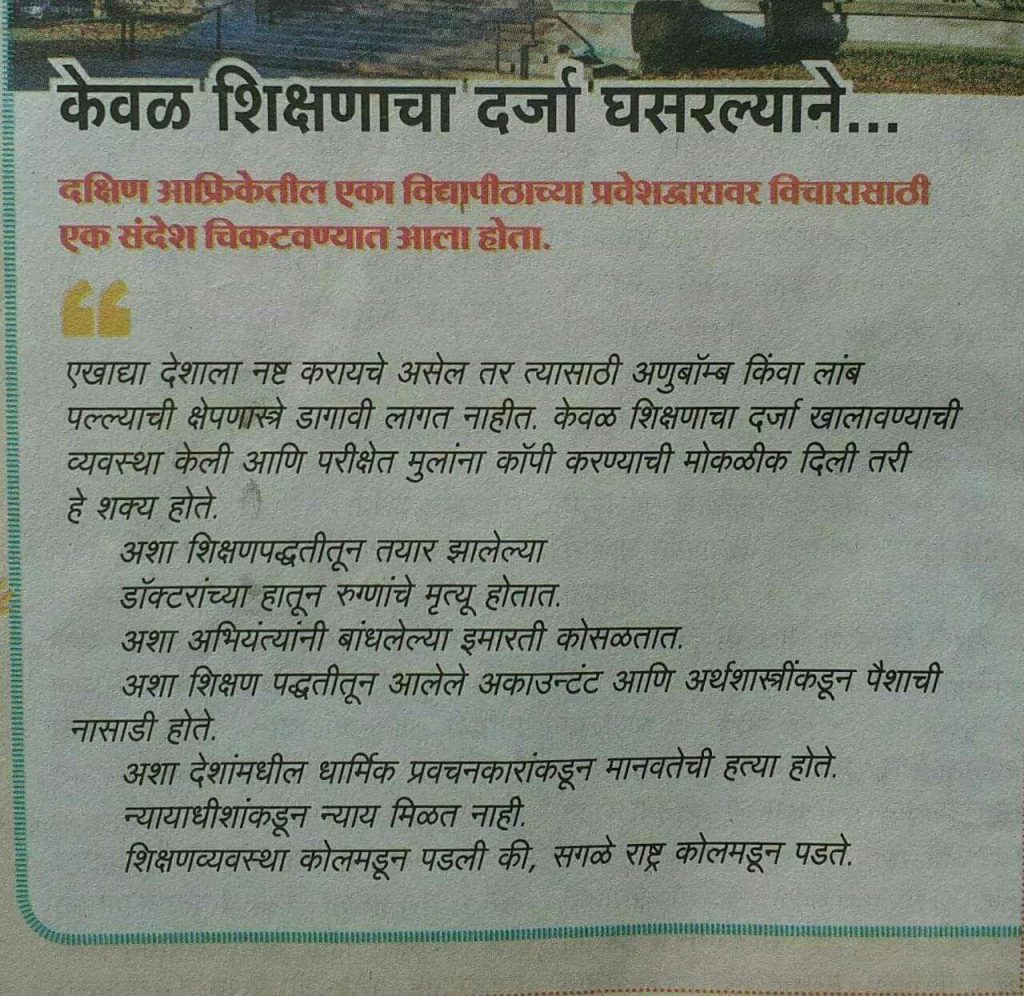
P.S.: Those who know nothing about Sir and philosophies of AstroMediComp SHOULD first watch our “Undoing Lord Macaulay” seminar series – before coming to attend / watching above mentioned Introductory Lectures:
Undoing Lord Macaulay Seminar Series
============================================================================================
For late Admissions (post 10th April 2026) please send a detailed mail to :
madam@astromedicomp.org
pradnya@astromedicomp.org
============================================================================================
Update:
Due to students approaching us and insisting for Admissions even after the 10th April, 2026 deadline – we are re-opening the Admission Slot for ONE SINGLE DAY ONLY — From Sunday, 19th April 2026, 00:00 Hours (12:00 A.M.) to 08:00 P.M. on the SAME day (that is, only for 20 hours).
As Sir said – during the First Lecture of RTR 7.0 Batch, on 11th April, 2026 – his first 3 lectures will be open-to-all and free-to-all, out of these 3 – two lectures are already done (11-12 April 2026). Coming Saturday’s lecture (18th April) will be open-to-all and free-to-all – but lectures from Sunday, 19th April onwards – will be ONLY for students Admitted to the RTR 7.0 Batch.
So, be careful about the new time range on the SINGLE date (given above) of the second and LAST Admission Slot.
The same Admission Links given above will be opened at 00:00 hours on 19th April and will close at 8:00 P.M. on the SAME day.
Interested Students must :
-
Watch the First (8th March) and Second (22nd March) Introductory Sessions on AstroMediComp’s Official YouTube Channel. Links are given above. This is COMPULSORY.
-
Listen to the audio recordings of the first two official lectures of RTR 7.0 (11th-12th April) given here : Lectures link
-
Complete the Visual Studio installation task before Saturday’s (18th April) lecture. It is explained below.
============================================================================================
Visual Studio 2022 and FreeGLUT Installation Video Links and Instructions Files
Following are the links for videos:
Link For Video 1 : here
Link For Video 2 : here
Link For Video 3 : here
Please find the attached Text Files for instructions – ReadMe-First.txt and ReadMe-PVG-RTR5-Video_03.txt
Also, as mentioned by Sir during the lecture, download the freeglut zip provided here and skip the freeglut zip download step from Video 3 (that is, steps 1 to 4 from the ReadMe-PVG-RTR5-Video_03.txt).
OR
Download freeglut zip from this link
ReadMe Text File 1 link
ReadMe Text File 2 link
Update :
“Video 1” and “Video 2” links given above explain installation of Visual Studio 2022.
Currently, the Visual Studio readily available for download from the mentioned website on the internet is Visual Studio 2026.
If you have found the link to download Visual Studio 2022 Community Edition, very well then – proceed with it as given in the video / text files.
If not, you can easily proceed with downloading Visual Studio 2026 Community Edition without any problems. The steps are all the same, just the UI (User Interface) is different. You can easily install Visual Studio 2026 by carefully following the steps of Visual Studio 2022 Installation from the given Video Links / Text files.
You can download Visual Studio 2022 or you can download Visual Studio 2026 – there is no problem.
============================================================================================
Thanks and Regards, Team AstroMediComp, (
www.astromedicomp.org)